> ## Documentation Index
> Fetch the complete documentation index at: https://docs.formizee.com/llms.txt
> Use this file to discover all available pages before exploring further.
# AWS Lambda
> Learn how to ingest your first submission using AWS Lambda
### Prerequisites
To get the most out of this guide, you'll need to:
* [Create a Formizee account](https://dashboard.formizee.com)
* [Have a form created](/guides/create-your-first-form)
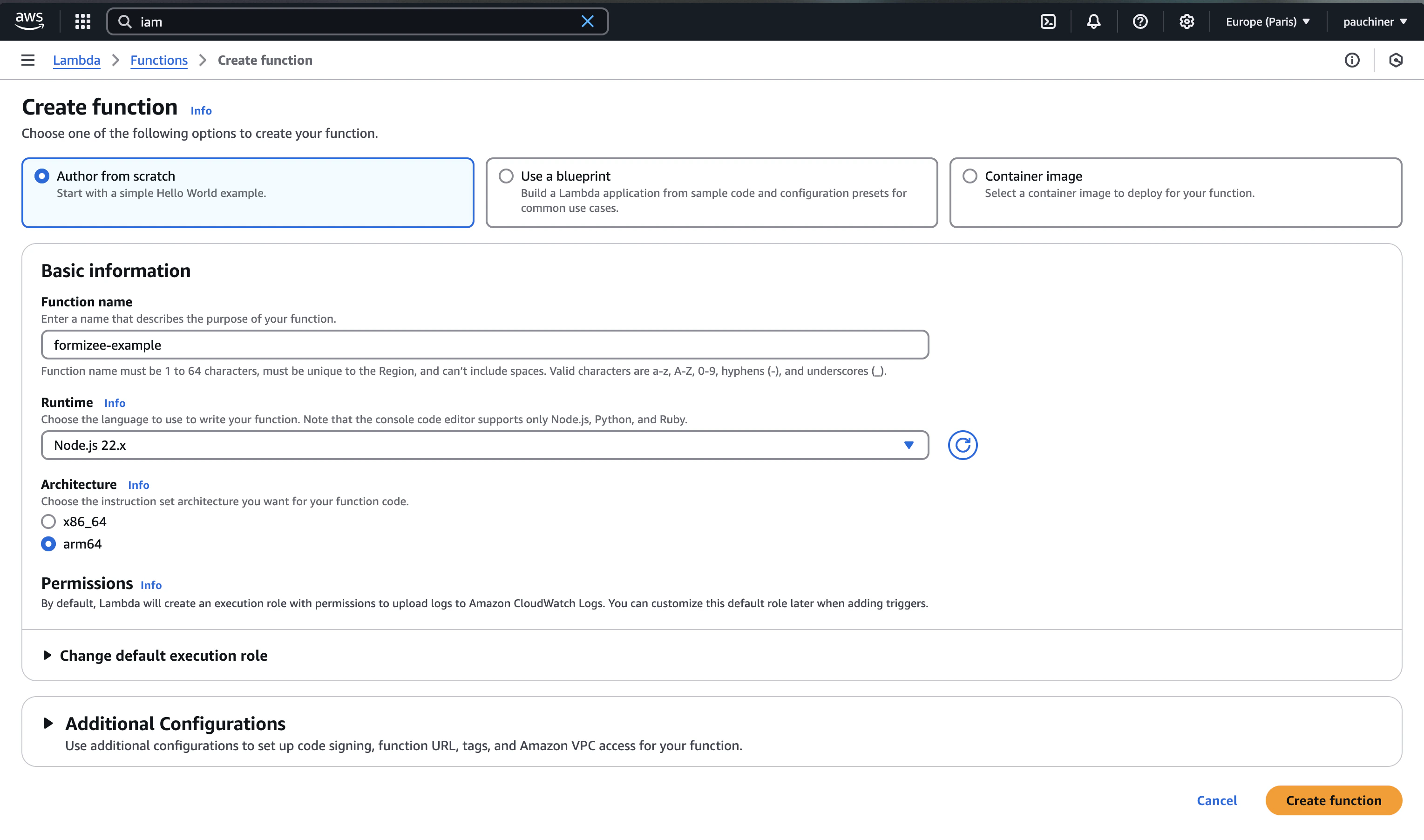
## 1. Create a AWS Lambda function
Go to [aws.amazon.com](https://aws.amazon.com) and create a new Lambda function using the Node 22.x runtime.
 ## 2. Edit the handler function
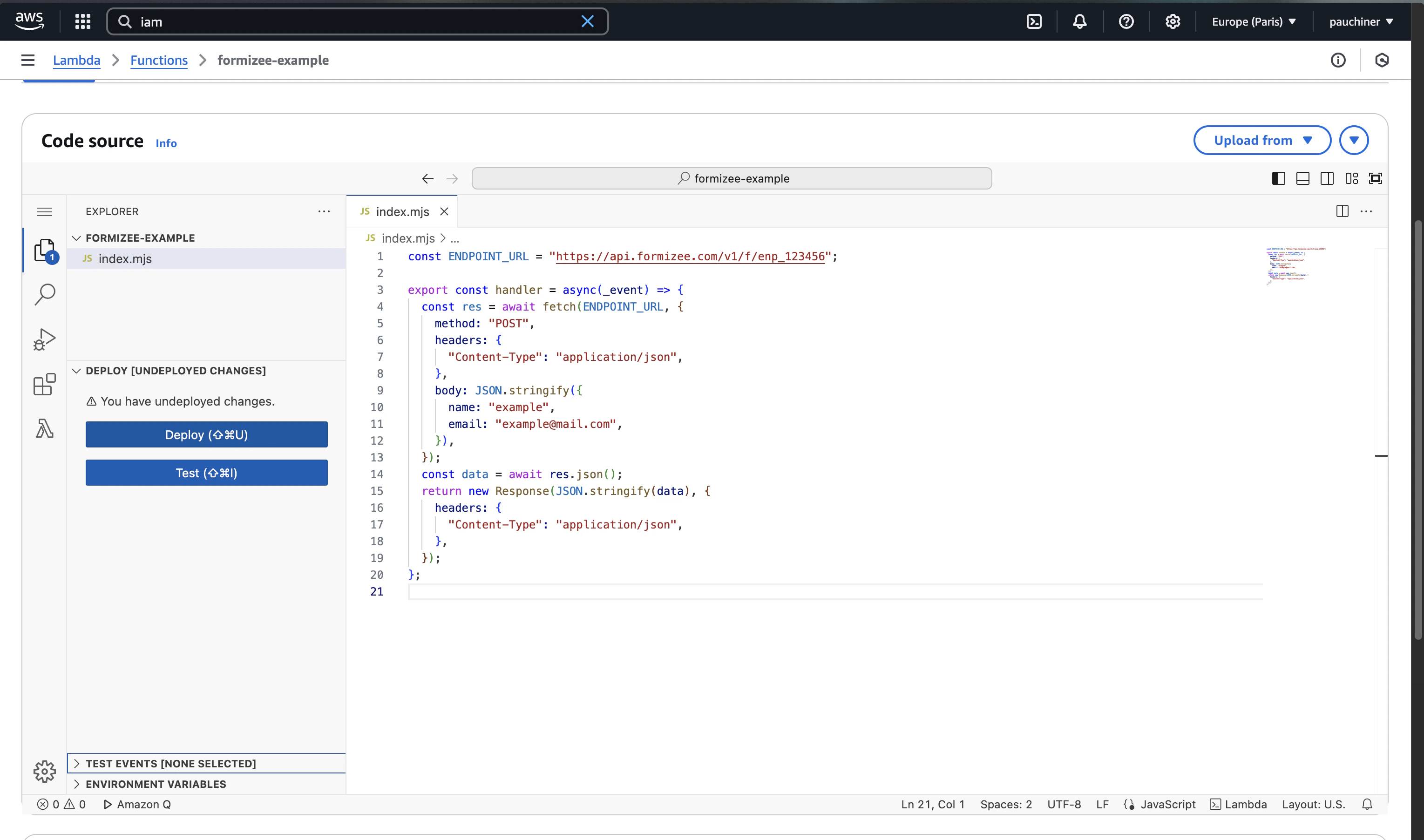
Paste the following code into the browser editor and update the **ENDPOINT\_URL**.
```js index.mjs {1} theme={"system"}
const ENDPOINT_URL = "https://api.formizee.com/v1/f/enp_123456";
export const handler = async(_event) => {
const res = await fetch(ENDPOINT_URL, {
method: "POST",
headers: {
"Content-Type": "application/json",
},
body: JSON.stringify({
name: "example",
email: "example@mail.com",
}),
});
const data = await res.json();
return new Response(JSON.stringify(data), {
headers: {
"Content-Type": "application/json",
},
});
};
```
## 3. Deploy and ingest submissions
Click on `Deploy` and then `Test` at the left of the screen.
## 2. Edit the handler function
Paste the following code into the browser editor and update the **ENDPOINT\_URL**.
```js index.mjs {1} theme={"system"}
const ENDPOINT_URL = "https://api.formizee.com/v1/f/enp_123456";
export const handler = async(_event) => {
const res = await fetch(ENDPOINT_URL, {
method: "POST",
headers: {
"Content-Type": "application/json",
},
body: JSON.stringify({
name: "example",
email: "example@mail.com",
}),
});
const data = await res.json();
return new Response(JSON.stringify(data), {
headers: {
"Content-Type": "application/json",
},
});
};
```
## 3. Deploy and ingest submissions
Click on `Deploy` and then `Test` at the left of the screen.
 ## 4. Try it yourself
See the full source code
## 4. Try it yourself
See the full source code